
Prepare localized TypeScript language files for review and release support.
Arkian helps frontend teams turn approved product copy into TypeScript language assets without giving Arkian control of the codebase.
String files
Localized copy with keys, placeholders, and file rules preserved.
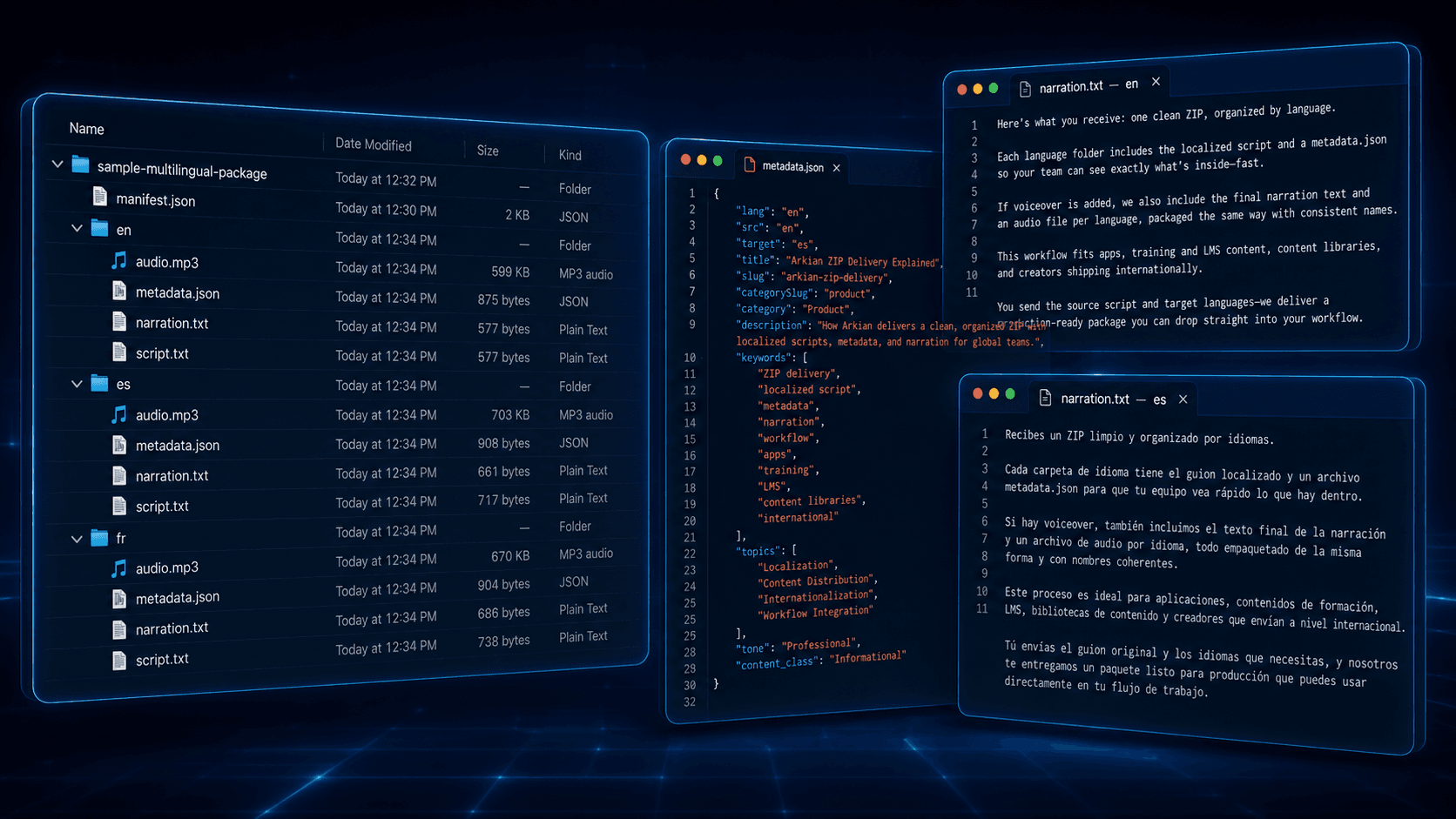
Typed language assets without a repo integration.
Create the package, inspect the output, and keep the actual code integration inside your own workflow.
- Frontend copy is approved.
- TypeScript language assets are needed.
- The team does not want an external repo integration.
- Arkian returns localized TypeScript files.
- Files are grouped by language.
- Review and integration stay with the customer.
Multilingual assets organized for review.
The customer brings approved source content. Arkian returns files organized for review, delivery, or release support.
String files
Localized copy with keys, placeholders, and file rules preserved.
Metadata files
Titles, descriptions, keywords, topics, and context in structured files.
Audio files
Translated scripts, approved narration text, MP3/WAV output, validation, and repair-ready language packages.
Packaged assets
Predictable language folders, a root manifest, recorded validation status, and a downloadable ZIP for handoff.
The package is the handoff.
Arkian keeps the output inspectable: named files, selected formats, language folders, and package context.
Inputs
- Approved source copy
- String keys
- Target languages
- TypeScript output selection
Outputs
- Localized TypeScript files
- Language-organized package
- Release-support assets
A focused path from source to package.
The customer keeps control of the final system. Arkian prepares the multilingual assets and package structure.
Prepare approved source copy.
Select languages and TypeScript output.
Generate the language files.
Review and place them in your frontend workflow.
For clear jobs that do not need a full localization stack.
Arkian can support apps, websites, voice prompts, kiosks, onboarding, support content, and other systems that need multilingual assets without a full CAT/TMS workflow.
Product builders
Localized app strings, metadata, help copy, release assets, and product-language files without connecting a repo.
Content teams
Approved scripts, articles, lessons, podcasts, and explainers turned into multilingual text, metadata, and voice files.
Small agencies
Client-ready multilingual packages without standing up a CAT/TMS, voice stack, metadata process, and file-prep workflow.
Customer-facing systems
IVR, voicemail, kiosks, SCO, EPOS, onboarding screens, support prompts, and other systems that need consistent copy or audio.
Operational teams
One focused multilingual job done cleanly: approved source in, structured output out, customer review stays in control.
More than raw translation.
Translation is one part. Arkian adds the structure around it: formats, folders, metadata, scripts, voice files, naming, and delivery-ready packages.
No repo access required.
Output is reviewable before integration.
Useful for focused frontend language work.
Can be paired with metadata and package output.
Questions customers may have.
Is Arkian a CAT or TMS replacement?
No. Arkian prepares structured multilingual outputs from approved source content. Mature CAT/TMS platforms remain the better fit for translation memory, terminology governance, reviewer routing, and Git-native localization operations.
Does Arkian need repository access?
No. Arkian creates packages and files. The customer keeps their product, repository, CMS, IVR system, kiosk platform, or content system under their own control.
What does Arkian actually solve?
Arkian compresses the production work between approved source content and usable multilingual assets: strings, metadata, scripts, voice files, naming, folder structure, and downloadable packages.
Other Arkian workflows.
Create localized string files from approved source content while preserving keys, placeholders, and structure across JSON, iOS, Android, TypeScript, and YAML.
Create localized JSON files from approved source with keys and structure preserved, organized by language for apps, dashboards, kiosks, and web products.
Turn approved source content into multilingual strings, scripts, metadata, voice files, validation records, manifests, and organized delivery packages.
Create the multilingual assets this job needs.
Choose the output path, review the estimate, and download a structured package.
Open Arkian